Runs entirely in your browser — nothing is uploaded

Firewall hardening audits, without the upload.

FireMan reviews a FortiGate or Palo Alto configuration against vendor best-practice hardening guidance and returns a scored, multi-domain report — findings, fixes and references — all client-side in a browser tab.
🔒 No backend, no telemetry 🛡️ FortiOS & PAN-OS ⚡ Instant, in-tab results
1 Drop your config
2 Audit & score
3 Explore exposure
4 Generate the document
fireman.alikloud.com
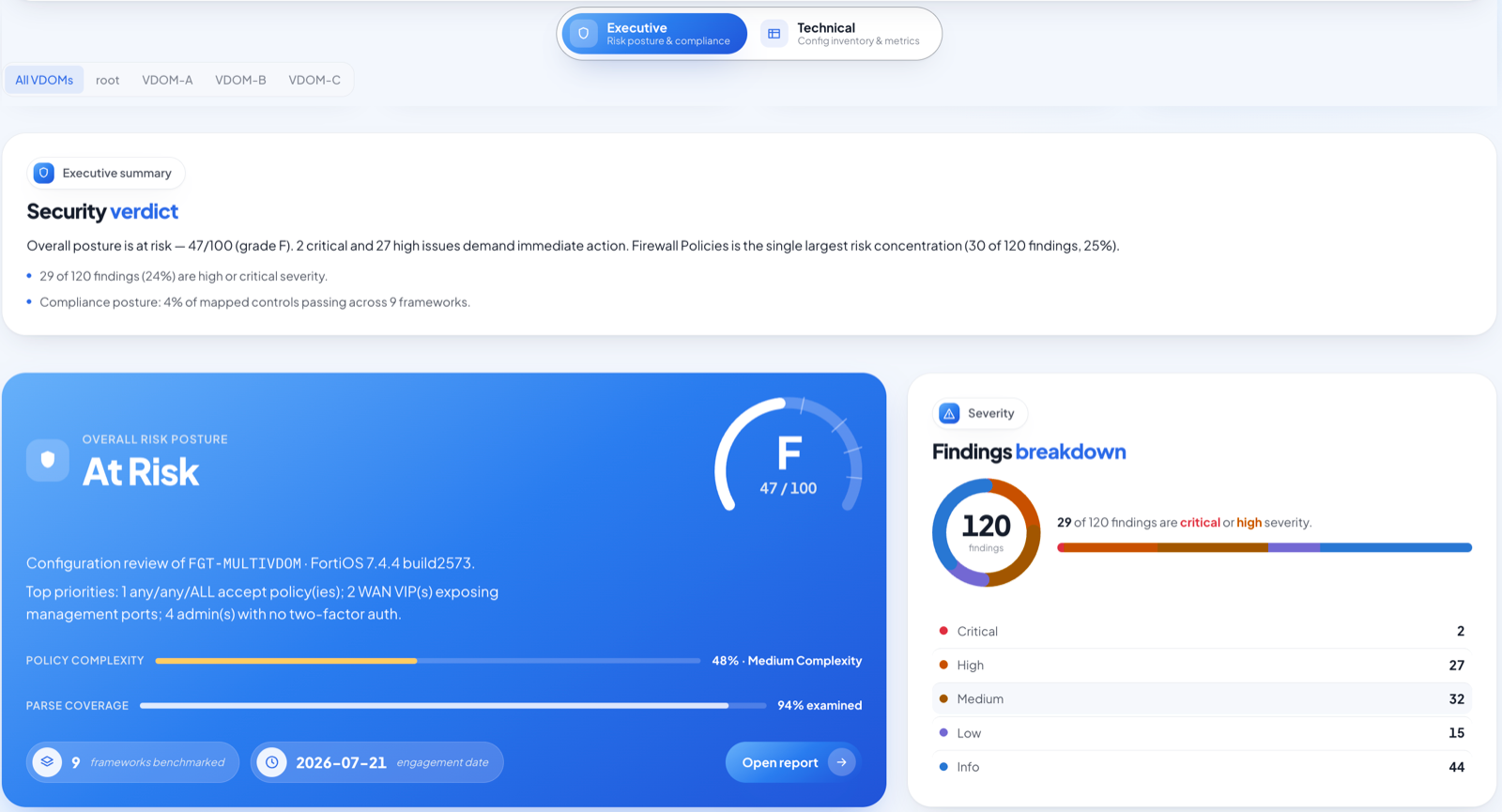
FireMan executive dashboard — overall risk posture, security score and findings breakdown for a multi-VDOM FortiGate
Built on Fortinet Hardening Guide PAN-OS Best Practices CIS Benchmarks NIST MITRE ATT&CK
Why FireMan

Everything a hardening review needs — nothing it doesn't.

Purpose-built for firewall engineers. Deep vendor knowledge, honest analysis, and a report you can hand to a client.

Privacy-first

Your configuration never leaves your device.

No upload, no server, no processing anywhere but the tab in front of you. Parsing and every check run client-side, so a highly sensitive firewall backup stays on your machine.

  • Zero network calls with your config data
  • Works offline once the page is loaded
  • Nothing cached, logged, or transmitted
✓ Local parse✕ No upload
📄 firewall-config.conf stays on device
🧠 Analysis engine runs in the tab
🚫 Network blocked
Multi-vendor

FortiOS and PAN-OS, understood properly.

FireMan reads the real CLI and XML schema of both platforms — including multi-VDOM FortiGates and multi-vsys, Panorama-managed and template-stacked Palo Altos — and keeps objects and policies scoped to where they belong.

  • FortiGate show full-configuration
  • PAN-OS set-format & XML, plus Panorama
  • VDOM / vsys aware, end to end
FortiOS 7.4 / 7.6 / 8.0 PAN-OS Panorama Multi-VDOM Multi-vsys
vdom: root 42 policies
vdom: dmz 17 policies
vsys: trust device-group
Scored report

18 domains, one 0–100 score, zero noise.

Every check is graded by severity and mapped to a concrete fix and a reference. The tool is conservative by design — it flags what's genuinely insecure, not what merely differs from a default — so the report survives review by security engineers.
  • System, admin, VPN, logging, routing, DoS & more
  • CIS · NIST · MITRE ATT&CK overlays
  • Per-finding fix commands and citations
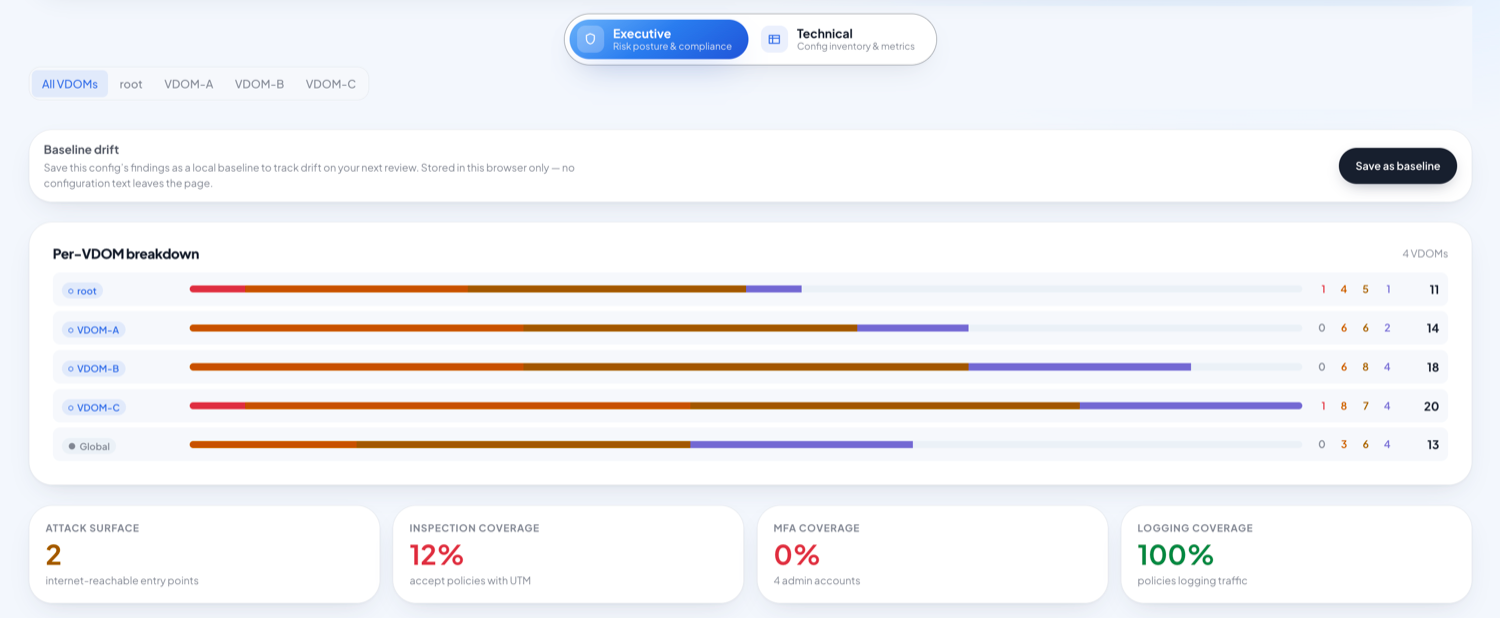
FireMan per-VDOM findings breakdown with attack-surface, inspection, MFA and logging coverage metrics
Exposure & topology

See what the internet can actually reach.

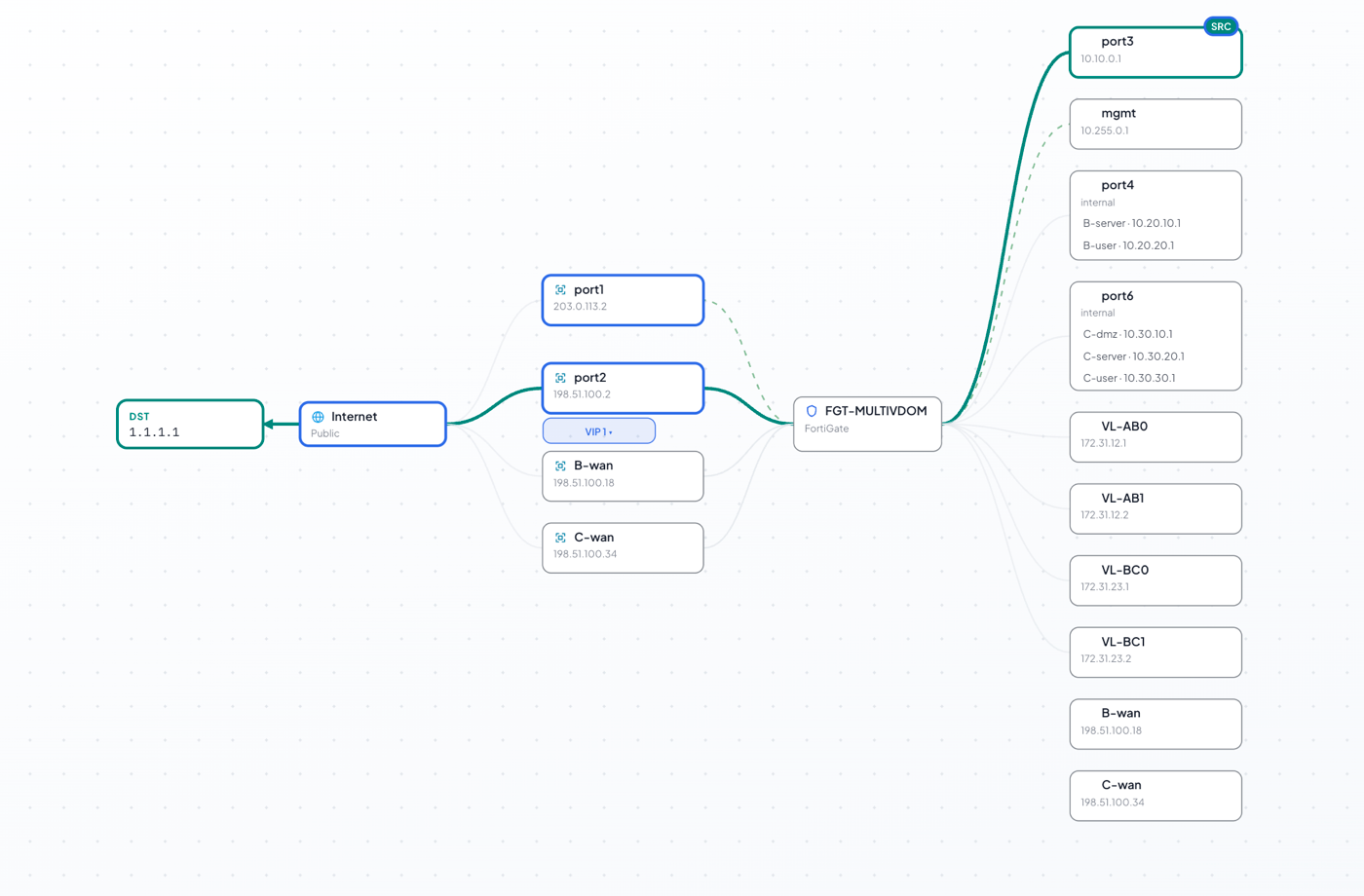
An interactive map of interfaces, zones and VIPs, a packet path-trace across VDOMs, and an open-ports view that separates management surface from published services — so exposure is a picture, not a spreadsheet.
  • WAN-reachable VIP & management detection
  • Source-to-destination path trace
  • Per-VDOM open-port surface
FireMan path trace across a multi-VDOM FortiGate — Internet, through the firewall, to the destination, with every interface and IP mapped
Attack surface

Every open port, ranked by who can reach it.

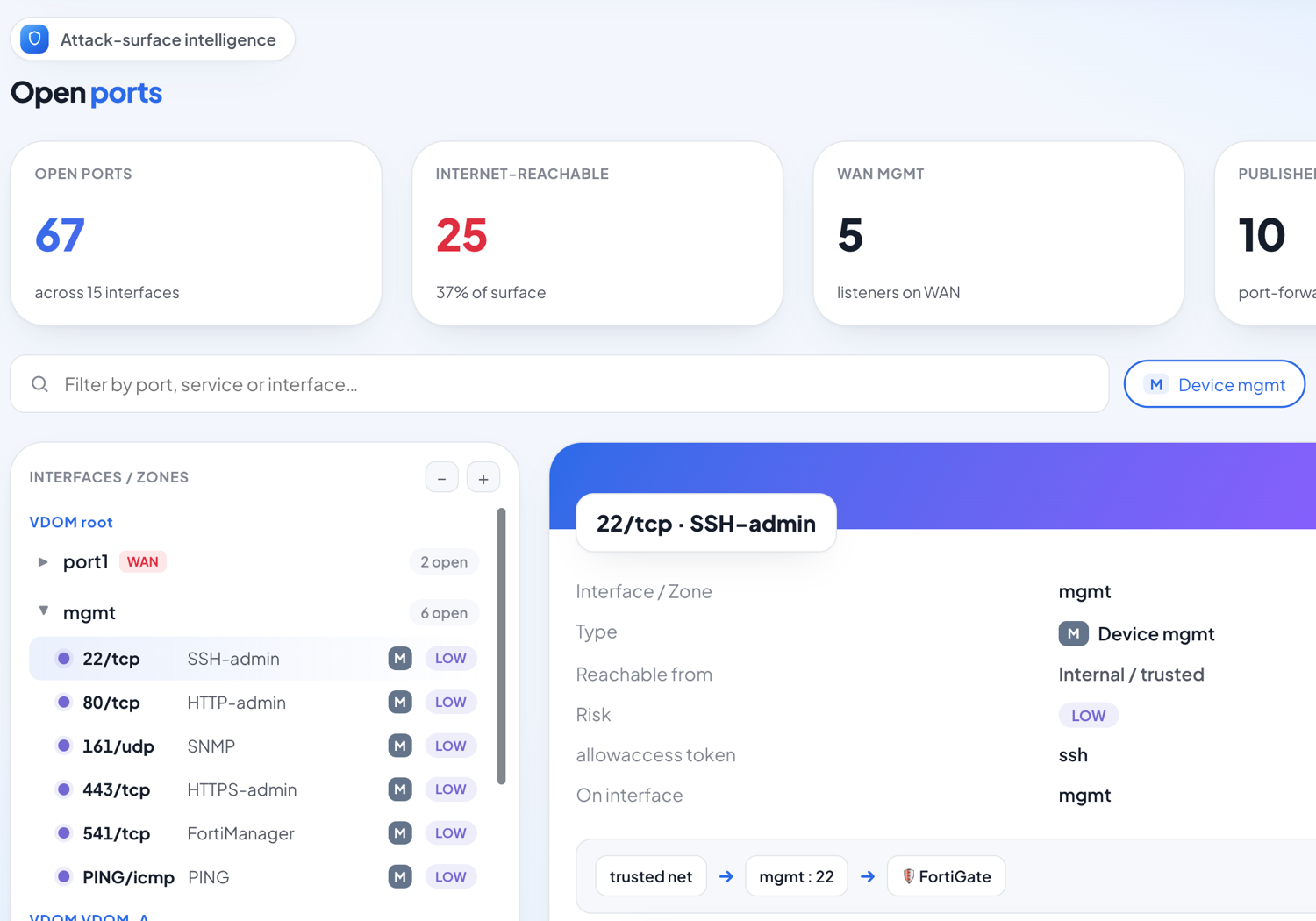
FireMan enumerates every listener across all interfaces and VDOMs, separates management ports from published services, and flags what the internet can actually hit — so the real attack surface is a fact on the page, never a guess.
  • Management vs. published-service split
  • Internet-reachable listener detection
  • Per-port reachability & risk
FireMan open-ports view — attack-surface metrics and a per-interface listing of every listening port with reachability and risk
Migration & hygiene

Find the dead weight before you migrate.

Unused objects, disabled policies, unreferenced profiles, shadowed and redundant rules, orphaned zones and a rule-base complexity score — the discovery pass every migration and clean-up starts with.

  • Shadow & redundancy analysis
  • Unused / unreferenced object hunting
  • Complexity & sizing snapshot
Unused objects 515
Disabled policies 70
Redundant rules 54
Orphaned zones 1
New

Generate the as-built document, not just the audit.

One click turns the parsed configuration into a professional Word document — a formal as-built and pre-migration discovery report, ready for an enterprise handover.

A handover document in seconds.

Cover page, auto table of contents, numbered chapters, running header and footer — twelve chapters plus appendices covering system, interfaces, routing, policy, NAT, objects, VPN, profiles, logging and migration notes, for both vendors.

  • Formal DOCX with cover, TOC & page numbers
  • As-built + migration discovery in one
  • Honest by design — no fabricated values
firewall-documentation.docx
PAN-OS · CONFIDENTIAL
Contents
6 · Security policy
7 · NAT
8 · Objects & groups
12 · Migration notes
And more

A full console, not a checklist.

Compliance mapping

See findings rolled up against CIS, NIST and other frameworks, with pass/fail per family.

MITRE ATT&CK overlay

Relate exposure to adversary techniques so risk reads in terms leadership understands.

Compare configs

Diff two exports — policies, objects and settings — VDOM-aware and vendor-aware.

Risk acceptance

Accept a finding with a note and expiry; residual and gross scores update accordingly.

Parse coverage

Know exactly what share of the configuration the engine examined — full transparency.

OT / ICS awareness

Industrial-protocol and Purdue-level context for firewalls guarding OT environments.

Where you work

FireMan lives inside Microsoft Teams.

Add it as a personal tab and run a hardening review without leaving Teams — the same client-side engine, the same privacy guarantees, embedded where your team already is.

▦ Documentation
◆ Dashboard · Grade B
▤ 11 findings
◈ Exposure map

Audit your firewall in the next five minutes.

Drop in a config, get a scored report, and generate the document — all in your browser.